Stroke-by-stroke recording
Record each stroke manually, from tee shots and approaches to short game, putts, penalties and recovery shots. Add optional lie, club and outcome details to keep the hole record useful for review.
ABS Golf Performance
ABS Golf Performance 1.1 is available on the App Store for competitive golfers, elite players, pro golfers and coaches. Keep course context and target profiles together, with optional Premium for manual stroke-by-stroke recording, My Bag and deeper performance review.
Version 1.1 on the App Store
Free to download, with monthly and yearly Premium options for stroke-by-stroke recording, My Bag and advanced insights and reports.
Available in version 1.1 · Premium
Basic round and performance reports are included for free: preview, share or export them as PDF. Premium adds detailed stroke statistics when the relevant stroke-by-stroke data has been recorded.
Monthly and yearly Premium memberships are available now. These released features build on deliberate, manual entry; they do not automatically detect shots or measure club distances. GPS and Map Edition are separate, upcoming additions.
Record each stroke manually, from tee shots and approaches to short game, putts, penalties and recovery shots. Add optional lie, club and outcome details to keep the hole record useful for review.
Choose up to 14 standard clubs for a focused club selector during stroke recording. My Bag is a manual setup, not automatic shot detection or measured club distances.
Review recorded shot patterns, putting, penalty and recovery insights, use a custom target handicap, and include Premium statistics in round and performance reports.
Upcoming Premium GPS · Map Edition
The upcoming version extends stroke-by-stroke rounds with an explicit, player-controlled position workflow and a map-first companion to Timeline. Map Edition attempts to frame the current hole and estimate its playing direction so strokes, pins, tees, landing zones, and other useful course points can be reviewed or corrected. Calculated distances and map positions are guidance, not exact measurements.
Save At Tee, At My Ball, and At Pin positions during a stroke-by-stroke round. At My Ball records the position before the next stroke so the previous stroke distance can be calculated.
See the direct distance between consecutive confirmed positions in the round and include those played distances in round and performance reports. They are not carry distances.
Map Edition adds a spatial view to stroke-by-stroke rounds. Place and adjust strokes, pins, tees, and reusable course points using GPS or the map, then use the improved location data for deeper distance and performance analysis.
Actively start a temporary trail to help place strokes manually. It never creates confirmed ball positions automatically, stops within five hours, and is deleted from the device after seven days.
Relief, drop zone, replayed stroke, lost ball, out of bounds, and unplayable ball interrupt the distance chain. A ball played as it lies in a penalty area can continue it.
Location permission is requested only when you record a position or activate Round Trail. Confirmed stroke, pin, and course-point data can sync through your private iCloud account; raw trail points stay local.
First look · Upcoming Premium
Golf data becomes more useful when it is connected to where each shot happened. Map Edition is a map-first companion to the stroke-by-stroke Timeline, built to make round positions easier to review and correct.
Use GPS at the ball or place a stroke with the map crosshair. Select, move, edit or delete existing strokes when a position needs correction or a round is entered later.
Place the pin, green front, middle and back, landing zones and available tees. Course points can be reused in later rounds, or hidden for one round without being deleted.
Confirmed round positions and course points are stored locally and can sync through your private iCloud account. There is no shared ABS Golf course database.
Better positions support Club Distances and future performance review, but GPS and manual map locations remain approximate. Map Edition is being refined through on-course testing.
Read Map Edition helpCurrent App Store release · iPhone
Version 1.1 adds monthly and yearly Premium memberships, manual stroke-by-stroke recording, My Bag, advanced shot, putting, penalty and recovery insights, and Premium statistics in round and performance reports. It also improves 9-hole handicap allocation, benchmarks and the interface. GPS and Map Edition remain upcoming, not part of this public release.
Released August 30, 2026. Danish App Store checked October 25, 2026.
Release log
Follow the public App Store release and the support material around ABS Golf Performance as the product moves from first launch into regular iteration.
What the product is trying to do
ABS Golf Performance is designed to help players capture the round properly, keep the course setup visible, compare against the level they are working toward, and see which parts of the game deserve attention first.
Scorecard signals
Core product areas
The app starts from practical golf data: the course, the tee, the round, the target profile and the report that explains what happened.
Game
Performance
Courses
Settings
Target profiles
Target profiles help frame the gap between a player’s benchmark rounds and the standard they want to reach, without promising automatic performance improvement.
Selected product screens

Enter a structured scorecard while keeping course, tee and playing context visible.
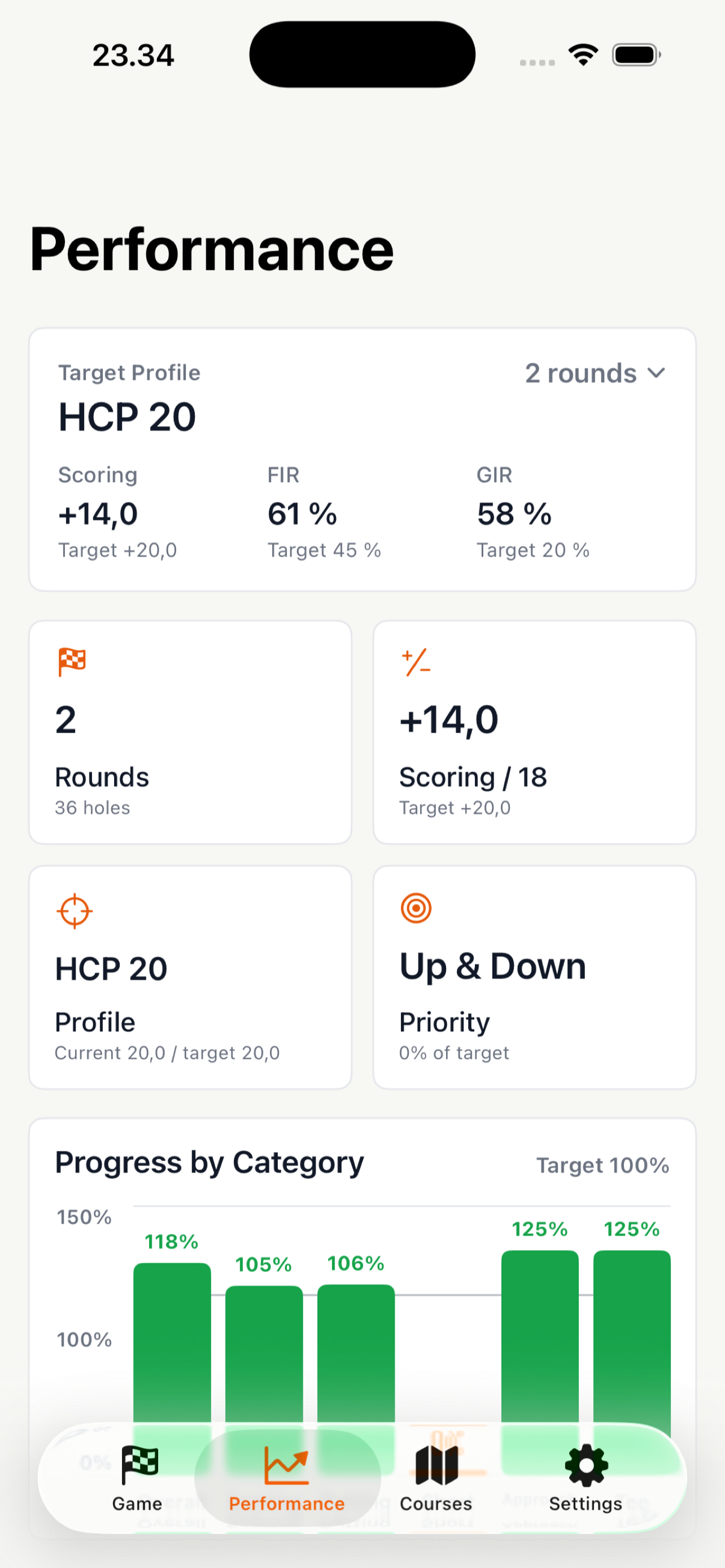
Review target profile, category progress and attack-first priorities from recent benchmark rounds.
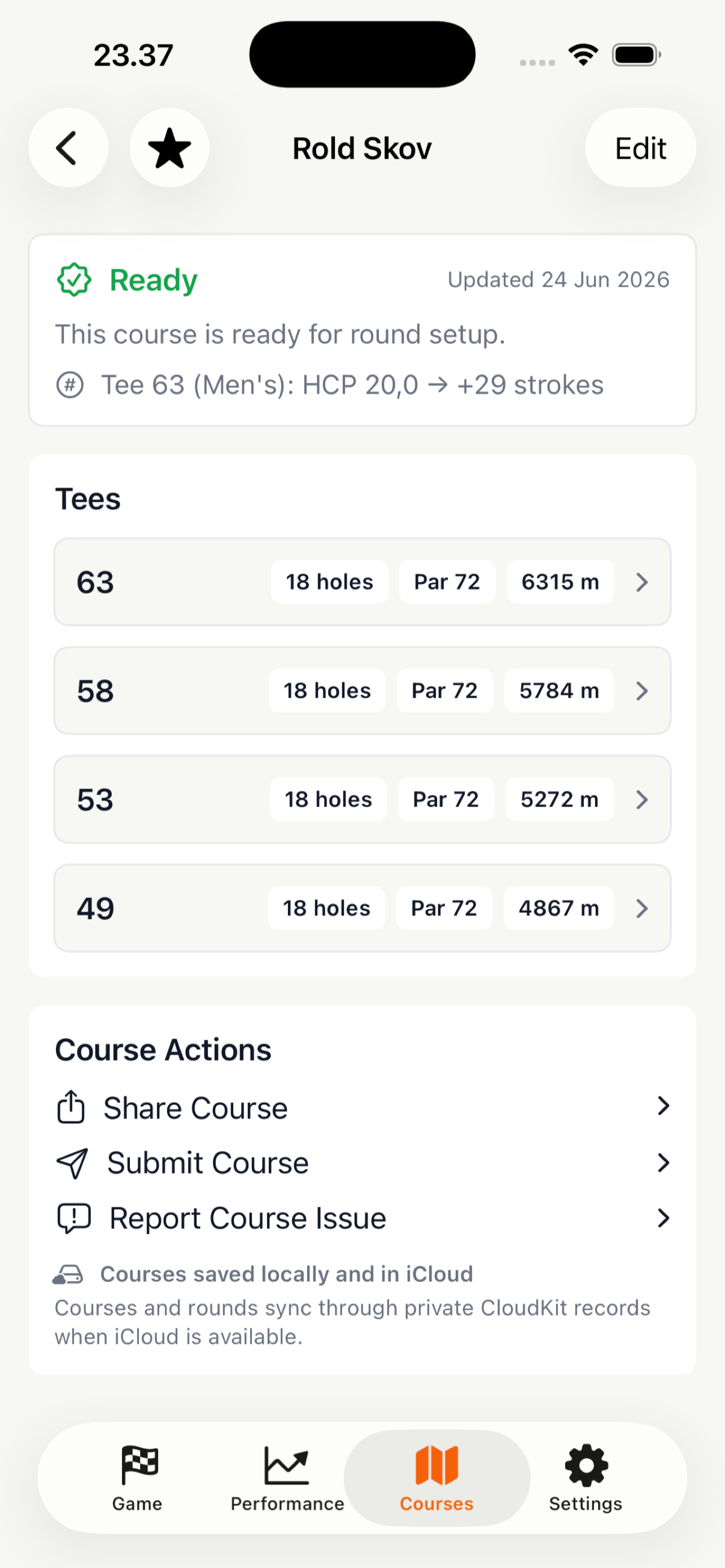
Keep benchmark course setup organised with tees and shared course information.
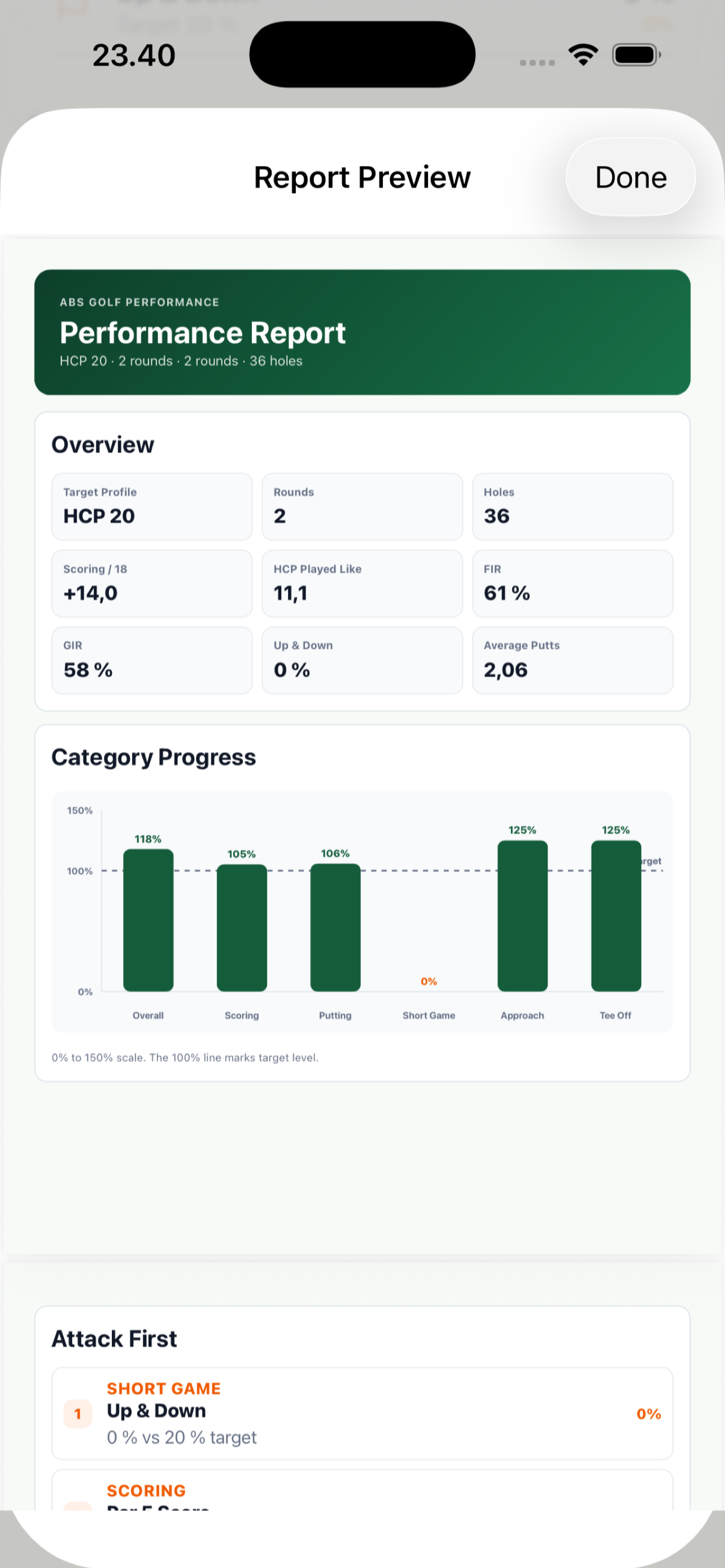
Preview round and performance reports before sharing them with a coach or player team.
Upcoming Premium workflow
GPS capture, manual map placement, and Round Trail are being added as aids for structured stroke-by-stroke rounds. Round Trail never creates confirmed ball positions automatically. Photo/OCR and automated course lookup remain future directions.
Product family
ABS Golf Performance complements ABS Golf Academy by focusing on course data, round context, target profiles and long-term performance review.